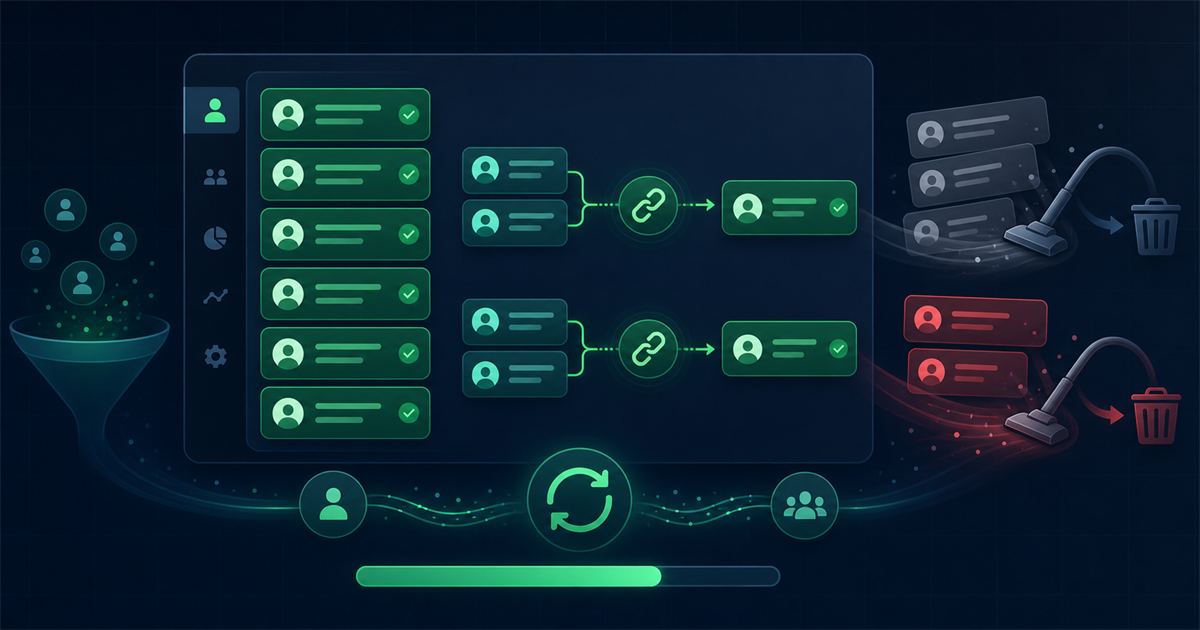

Overview
Your HubSpot contact list is one of your most valuable assets, but it quietly rots over time. People change jobs, mistype their addresses, and stop engaging, and before long a big slice of your database is dead weight that inflates your costs and drags down your email results.
Cleaning it does not have to be painful. This guide walks through why CRM data decays, the exact HubSpot tools that make cleanup easy, how to verify contacts and write the results back, and a simple maintenance cadence so your list never gets this messy again.
Why does CRM data go bad over time?
CRM data goes bad because the real world keeps changing while your records sit still. Every month, contacts switch employers and abandon old work addresses, prospects who once opened everything drift away, and small typos from web forms quietly turn good addresses into bounces. Duplicate records pile up as the same person enters your system through different forms and imports. None of this is a failure on your part. It is the natural decay that affects every contact database, which is exactly why routine cleaning matters.
How do you clean a HubSpot contact list?
You clean a HubSpot list by using its built-in filters and active lists to isolate bad records, merging duplicates, removing dead and disengaged contacts, and then verifying the rest. HubSpot gives you most of the tools you need natively, and pairing them with email verification handles the part HubSpot cannot check on its own. Work through the steps below in order.
1. Build active lists to segment your contacts
Start by creating active lists, which update themselves automatically as contacts meet or leave your criteria. Set up a few working segments:
- Contacts with a hard bounce, using the email bounce property.
- Contacts with no email opens or clicks in the last 180 days.
- Contacts marked as unsubscribed or spam reported.
- Contacts missing a valid email or key fields.
These lists give you a live picture of your list health and become the foundation for every cleanup action that follows.
2. Find and merge duplicate contacts
Duplicates split a person's history across two records, which breaks your reporting and can double your email sends. Use HubSpot's built-in duplicate management tool, found under the contacts data quality tools, to review suggested matches and merge them. When you merge, HubSpot keeps the primary record and folds in the activity from the other, so you lose no history. For duplicates the tool misses, filter by name or company and review them manually in batches.
3. Remove or suppress bounced and invalid contacts
Open your hard-bounce active list and clear those contacts out, because a hard bounce means the address is permanently undeliverable. You have two choices: delete the records entirely, or set them to non-marketing so they no longer count against your marketing contact limit or receive campaigns. Suppressing rather than deleting keeps the history for reference while stopping the wasted sends. Either way, continuing to mail hard bounces only damages your sender reputation.
4. Handle unengaged contacts with a re-engagement step
For contacts who are still valid but have gone quiet, do not delete them straight away. Send a short re-engagement campaign to your 180-day inactive list: remind them why they signed up and ask whether they want to stay subscribed. Move the people who click back into your active audience, and suppress or remove the ones who ignore every message. This protects the engagement signals that mailbox providers use to decide your inbox placement.
5. Verify your remaining contacts
HubSpot can tell you which addresses have bounced in the past, but it cannot tell you in advance which valid-looking addresses will fail on your next send. That is where verification comes in. Running your contacts through an email verification service checks each one for a working mailbox before you mail it, catching addresses that have gone dead since they last engaged. A tool with a direct CRM connection, like Mailthentic's HubSpot integration, can pull your contacts, verify them, and write the results straight back into your records so you never have to juggle spreadsheets.
How do you write verification results back into HubSpot?
You write results back by mapping each contact's verification verdict to a HubSpot property so your team can filter and act on it. The cleanest approach uses an integration that syncs automatically, but you can also do it with an export and import. The pattern looks like this:
- Create a custom contact property such as "Email Status" with values like valid, risky, and invalid.
- Verify your contacts, either through a connected tool or by exporting a list and running it through a verifier.
- Import or sync the verdicts back so each contact carries its status.
- Build an active list of everything marked invalid or risky, and suppress or remove those contacts from marketing sends.
With statuses stored on the record, you can safely mail only the addresses that passed, and every future segment automatically respects the verification result.
How often should you clean your HubSpot list?
Clean your HubSpot database on a regular cadence rather than waiting for problems to pile up. A practical routine looks like this:
- Ongoing: use form validation and double opt-in so bad data is caught at entry.
- Monthly: review your bounce and duplicate lists and clear anything new.
- Quarterly: run a full verification pass and refresh your engagement segments.
- Before major campaigns: verify the specific list you plan to send to, especially if it has been idle.
Because you also pay for marketing contacts in HubSpot, this cadence keeps both your deliverability and your bill under control.
Frequently asked questions
Should I delete bounced contacts or just mark them non-marketing?
For hard bounces, either works, but setting them to non-marketing is often the safer choice. It stops the wasted sends and removes them from your marketing contact count while preserving their history in case they return or you need the record for reference. Reserve outright deletion for clearly fake or junk entries that hold no value.
Will cleaning my HubSpot list lower my marketing contact bill?
Yes, it can. HubSpot charges based on your number of marketing contacts, so removing or converting dead and disengaged records to non-marketing directly reduces what you pay. Cleaning is one of the few maintenance tasks that improves your deliverability and lowers your costs at the same time.
Does HubSpot verify email addresses on its own?
HubSpot tracks bounces and engagement after you send, and it flags addresses that have already failed, but it does not proactively verify whether a valid-looking mailbox is still live before your next campaign. That predictive check requires a dedicated email verification tool, which is why many teams connect one to their HubSpot account and sync the results back.
How do I stop my HubSpot list from getting dirty again?
Prevention comes down to controlling what enters and reviewing what stays. Add validation and double opt-in to your forms so typos and fake addresses are caught at signup, avoid importing purchased lists, and run the monthly and quarterly checks described above. A little consistent upkeep keeps your database clean far more easily than an occasional deep clean.



Comments (1)
������ Want to Rank Higher on Google and Boost Your Website Traffic? ������ ������ M Robot is the ultimate tool for automated backlink building and SEO success! With its advanced technology, you can: ✅ Get thousands of high-quality backlinks effortlessly ✅ Improve your Google rankings fast ✅ Drive more traffic and increase your profits ������ Don't miss out! Try it now and take your website to the next level! ������ Visit M Robot Now >> moneyrobot.gosite.me
Leave a Comment
Your email address will not be published. Required fields are marked *